Rosemary is a simple, fast and private expense tracker that I designed and built for myself and for people who want to know where their money goes without turning it into an obsession.
Your data stays in your own iCloud. No sign-up, no account, no server of mine.
Introduction
I didn't want to create a multi-screen onboarding that people usually skip, but at the same time I wanted the first impression to feel alive and beautiful rather than generic. That's why the first thing you see is a card with a gentle shader that invites you to create your first account.

That shader ended up useful elsewhere too: on the paywall screens, in a section of the settings, and as a background for the App Store screenshots.
Accounts
You can create multiple accounts in different currencies, and I wanted to make it possible to add and track your crypto as well.
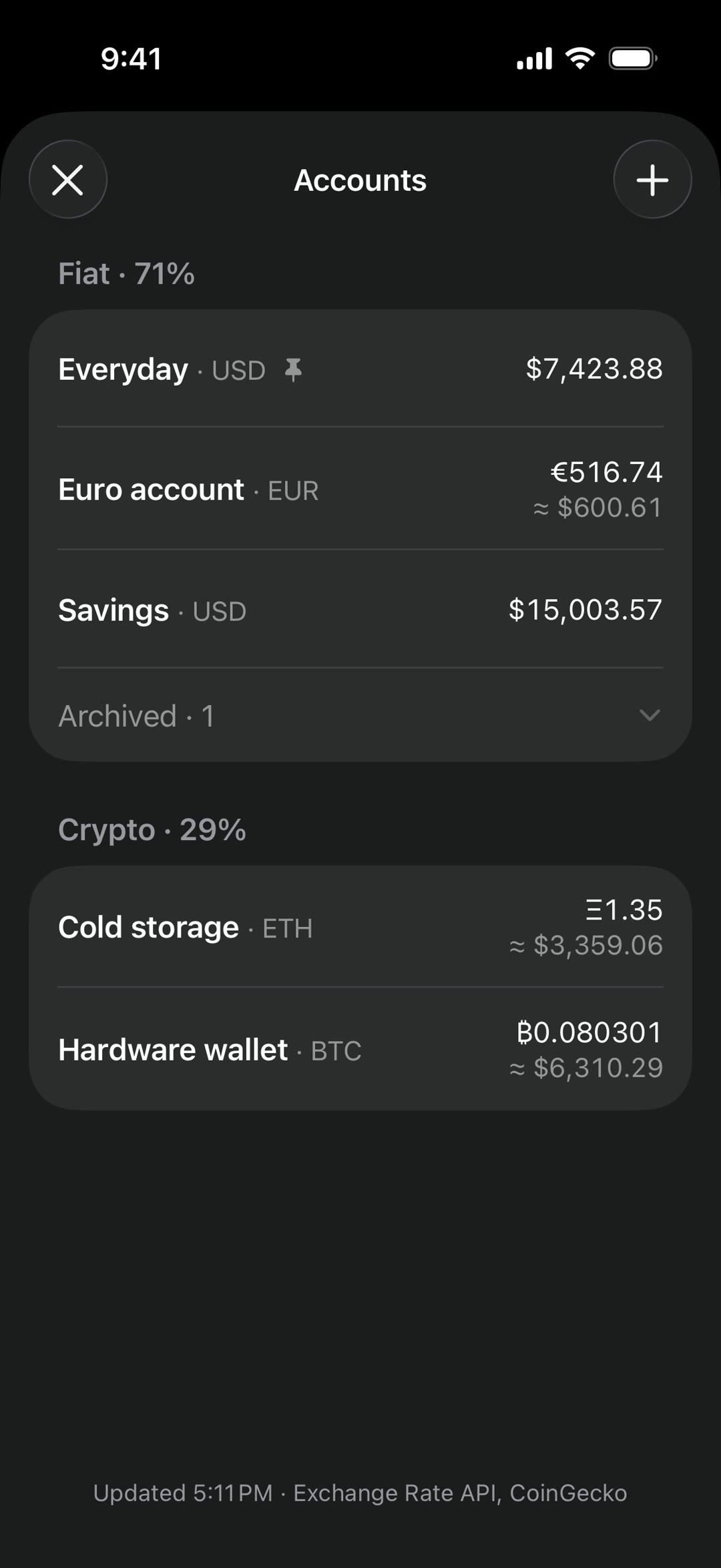
If an account's currency differs from your base currency, the app always shows the equivalent in your base currency right under the balance. This is especially handy for volatile currencies and crypto.
Main screen
All account balances are aggregated into one total balance on the main screen. It answers the question: how much money do I actually have — my net worth, basically.
It's also a good way to keep an eye on volatile currencies: the total visibly grows when they grow, and vice versa.
For privacy, you can tap on the balance and hide it from prying eyes.
Manual entry
There is no bank sync, and that's a decision, not a gap. I have bank accounts in three different countries and a few crypto wallets — any sync would cover maybe one of them. And a half-working sync is worse than none: you're promised a seamless experience, then two of your three banks aren't supported and nobody knows what to do with crypto. It also kills privacy the moment you connect a bank to the app.
From my own experience, a simple habit works better: five to ten minutes at the end of the day, everything under your control, nothing extra.
Creating a transaction
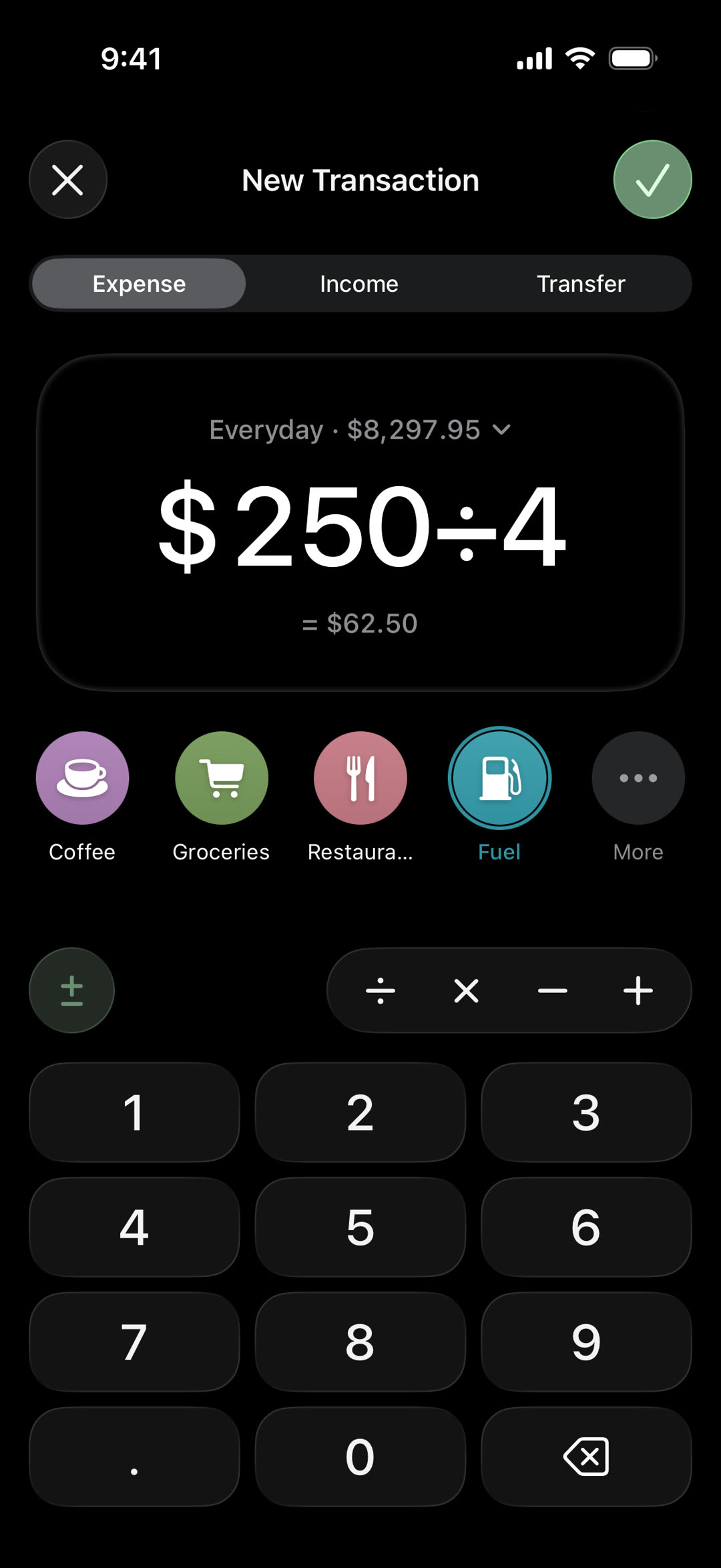
Creating a transaction is the most important part of the app, so I tried to make it fast, efficient and delightful. You can just type the amount, pick a category and save it.
Or, if a transaction needs some context, you can add a note to it.
Splitting a bill or converting a receipt shouldn't need a calculator app, so the math happens right in the amount field.
Transfers
Expense and income look alike, but transfers are different. This is how it looks when you move some money from your everyday account to savings, for example.
Statistics
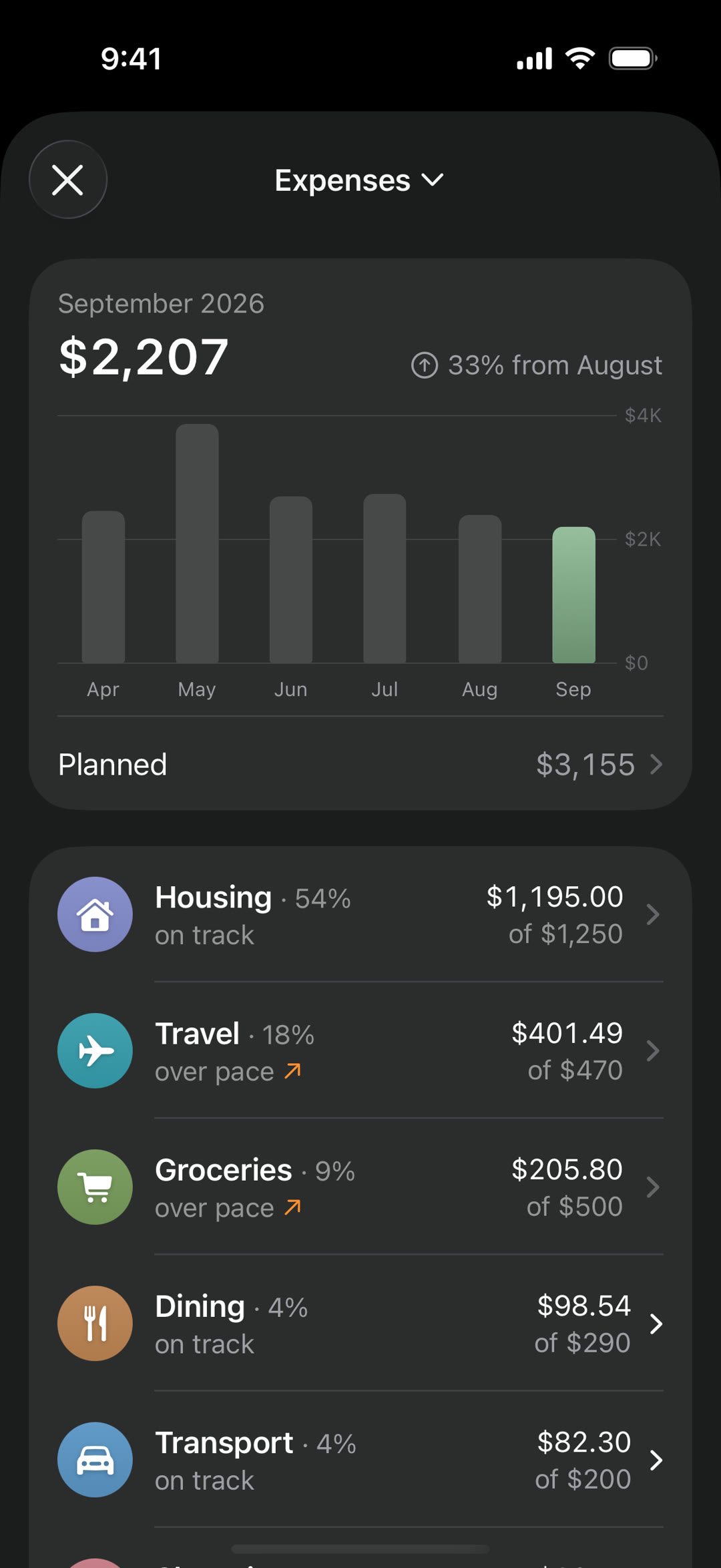
Simple and clear: how much you spent and earned this month or this year, with a breakdown by category.
If you want more control, there are per-category budgets. But a plain "over or under" verdict stays silent until the last day of the month, when it's too late to change anything. So while the month is running, the app tracks pace instead: how much you've spent against how much of the month has passed. Groceries can be well under $500 and still show "over pace" if you're spending faster than the month allows.
Where it is now
I started building Rosemary in July. August was testing — I used it myself and gave it to friends. September is the soft launch, so it's live now.
Next up: a daily notification asking whether everything is logged, search and filters for transactions, and scheduled transactions.
You can download it on the App Store
Feedback is very welcome, just write to me at rosemary@f248glm.me.